
Open any syllabus and you'll usually find a breakdown like this: homework 20%, quizzes 15%, midterm 25%, final 30%, participation 10%. That's a weighted grade. Some work counts for more than other work, and your final grade depends on both your scores and those weights.
If you've ever wondered why a 95% on homework doesn't move your grade as much as a 70% on the final, this is why. Here's how to calculate weighted grades without a headache.
Mid-semester?
Put your categories and weights into the Semester Grade Calculator and see where you stand today.
Open the calculator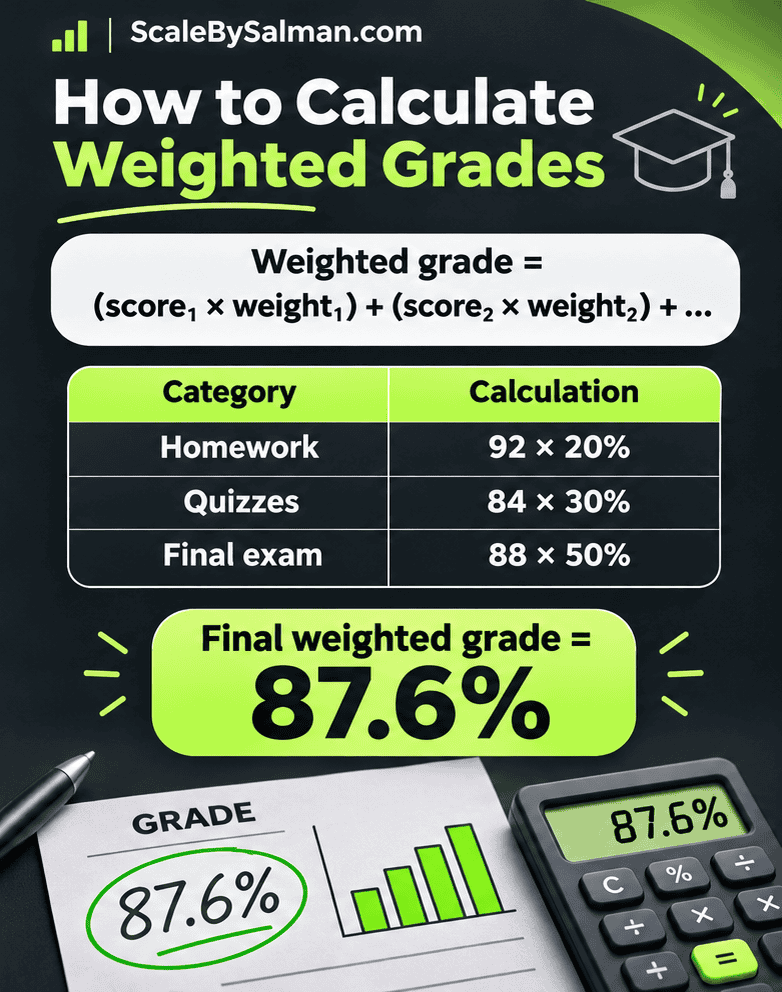
The formula in action: 92 × 20% + 84 × 30% + 88 × 50% = 87.6%.
For each category, multiply your average score by its weight. Add those up. If the weights add to 100%, that sum is your grade.
Weighted grade = (score₁ × weight₁) + (score₂ × weight₂) + …
Use decimals for the weights, so 20% becomes 0.20. If your weights don't add up to 100% (because some work isn't graded yet), divide by the total of the weights you've used. We'll cover that below.
Here's a class where everything has been graded.
Add the weighted points: 18.40 + 12.75 + 19.50 + 24.30 + 10.00 = 84.95%.
That's a B on most scales. Notice that the midterm (78%) and final (81%) pull the grade down even though homework and participation are excellent. Together they're 55% of the course, so they carry the most influence.
You might see a column in your gradebook called "weight achieved" or "weighted score." It usually means the points you've actually earned out of the category's total weight. In the example above, homework's weight achieved is 18.40 out of 20. The quizzes line shows 12.75 out of 15.
Gradebooks label this differently, so check the legend or help text in yours. When you add all the "achieved" numbers and compare with the weight graded so far, you get your current grade.
This is where most people get stuck midway through a semester. Say the final hasn't happened. You've got four categories with a total weight of 70%.
That's your standing right now, based only on what's graded. To plan for the final, you can use the Final Grade Calculator, or follow the walk-through in what you need on your final.
It happens. A syllabus might list four categories at 20% each, or leave room for extra credit. Don't panic. Divide your weighted total by the sum of the weights.
Take four categories at 20% each, with averages of 90, 80, 70 and 100. The weighted points are 18 + 16 + 14 + 20 = 68, and the weights total 80%. So the course grade is 68 ÷ 0.80 = 85%. If your teacher says the missing 20% comes from something that hasn't been graded, that 85% is your current grade, not your final one.
Some teachers drop the lowest quiz or homework score. Remove it before you average the category. Extra credit usually adds points to your earned total without raising the points possible, which can push a category above 100%. Check the syllabus, because a few teachers cap categories.
A simple average treats every score equally. If you scored 92, 85, 78, 81 and 100 on the five categories above, the simple average would be 87.2%. The weighted result is 84.95%. The gap exists because the lower scores happen to sit in the heavier categories.
When a class is weighted, the simple average of your scores can mislead you either way, so use the weighted one.
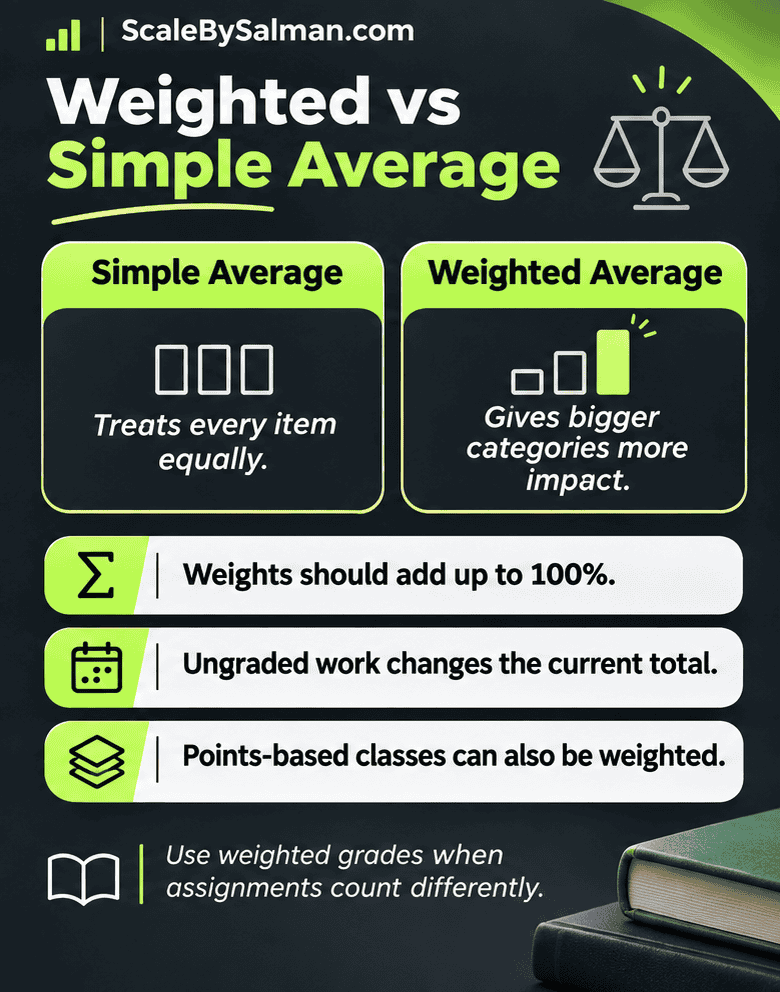
A simple average treats every item equally; a weighted average gives bigger categories more impact.
Some courses don't use category weights. They just add up all the points. Then the weights are built in. A 100-point final naturally counts more than a 10-point quiz. Total points earned divided by total points possible gives your grade. If you want to understand that route too, read how to calculate test percentage.
The formula lets you run "what if" numbers. Suppose you've got 60.65 weighted points from 70% of the course, and the final is worth 30%. To finish with 80%, you need 80 − 60.65 = 19.35 more points from the final, so 19.35 ÷ 0.30 = 64.5% on the exam. To finish with 90%, you need 29.35 points, which is 29.35 ÷ 0.30 = 97.8%.
Seeing both numbers is useful. It tells you whether a target is comfortable, a stretch or out of reach. The Semester Grade Calculator also lets you combine several grading periods with weights.
Many courses use just a few big categories. Say a lab course counts labs at 40%, exams at 40% and quizzes at 20%. Your averages are 88% on labs, 74% on exams and 90% on quizzes.
That's a B− on the plus/minus scale and a B on the 10-point scale. If you'd improved your exam average by ten points to 84%, the exams line would be 33.6 and your grade would be 86.8%. One heavy category can move the whole result, so that's where extra effort pays most.
More ways to put the weighted-grade formula to work:
Multiply each category's average by its weight (as a decimal), then add the results. If the weights add up to 100%, that sum is your grade.
Weighted average = (score × weight) summed across categories, divided by the sum of the weights. With 100% in total, you can skip the division.
Add the weighted points you have, then divide by the total weight of the graded work. For 60.65 points from 70% of the course, your current grade is 60.65 ÷ 0.70 = 86.64%.
It usually shows the weighted points you've earned in a category out of that category's full weight. For instance, 18.40 out of 20 for homework. Labels vary by gradebook.
Your final exam score is multiplied by its weight and added to your other weighted categories. A 30% final with an 81% score contributes 24.3 points to your grade.
That's how to calculate weighted grades in one line: it's a weighted average. Multiply, add, and if some work is missing, divide by the weight you've used. Once you see it that way, you can work out your standing and plan your next assignments. For a quick calculation, use the Semester Grade Calculator or the Final Grade Calculator.
ScaleBySalman has free calculators for grades, GPA and final exams, and none of them needs an account. Start from the ScaleBySalman homepage, browse the full free tools directory, or read more in the guides library. Questions about your data or our rules? Read the privacy policy and the terms of use, and see our advertising disclosure.
Browse all tools